OBM2 Pro
Stacker & Blocks
The Stacker is the visual editor for building LoliScript configs. Each block represents one logical operation. Blocks execute in order and share state via BotData variables.
Overview
Add blocks by clicking Add Block in the Stacker toolbar. Use the search box to filter by name. Blocks can be dragged to reorder them.
Each block produces output variables referenced as <varName>. Variables defined by previous blocks appear in combo-box dropdowns throughout the UI as you work.
The Stacker and the LoliScript text editor stay in sync. You can switch between views at any time without losing data.
Block Category Order
| Category | Blocks |
|---|---|
| Requests | HTTP Request, TLS Request, FTP, IMAP, POP3, SMTP, TCP, WebSocket, CookieContainer, Cognito |
| Parsing | Parse, Function |
| Logic | Keycheck, Utility |
| Captcha | Captcha (all types) |
| Browser | Navigate, BrowserAction, ElementAction, ExecuteJS |
HTTP Request Block
Request Settings
| Field | Description |
|---|---|
| Method | GET, POST, PUT, DELETE, PATCH, HEAD, OPTIONS |
| URL | Target URL. Supports variable substitution: https://example.com/<username> |
| Content-Type | Body encoding: application/x-www-form-urlencoded, application/json, multipart/form-data, text/plain |
| Post Body | Request body. For multipart, use name=value pairs separated by newlines. |
| Cookie Jar | Enable to persist cookies across requests within the same bot run. |
| Follow Redirects | Automatically follow HTTP 3xx redirects. |
| Read Response Body | Decode the response body as UTF-8 text into <SOURCE>. |
Custom Headers
Add one header per line in the format Header-Name: value. Variable substitution is supported in values.
User-Agent: Mozilla/5.0 (Windows NT 10.0; Win64; x64)
Accept-Language: en-US,en;q=0.9
X-Custom-Token: <token>
Output Variables
| Variable | Type | Content |
|---|---|---|
| <SOURCE> | Single | Response body as UTF-8 text |
| <RESPONSECODE> | Single | HTTP status code, e.g. 200 |
| <ADDRESS> | Single | Final URL after redirects |
| <HEADERS(*)> | Single | All response headers as a string |
| <HEADERS{name}> | Single | Specific response header by name |
| <COOKIES(*)> | Single | All cookies as a string |
| <COOKIES{name}> | Single | Specific cookie by name |
| <ERROR> | Single | Exception message if the request throws an error |
LoliScript Example
REQUEST GET "https://example.com/login"
REQUEST POST "https://example.com/api/login" CONTENT-TYPE:"application/json" POSTDATA:"{\"user\":\"<user>\",\"pass\":\"<pass>\"}"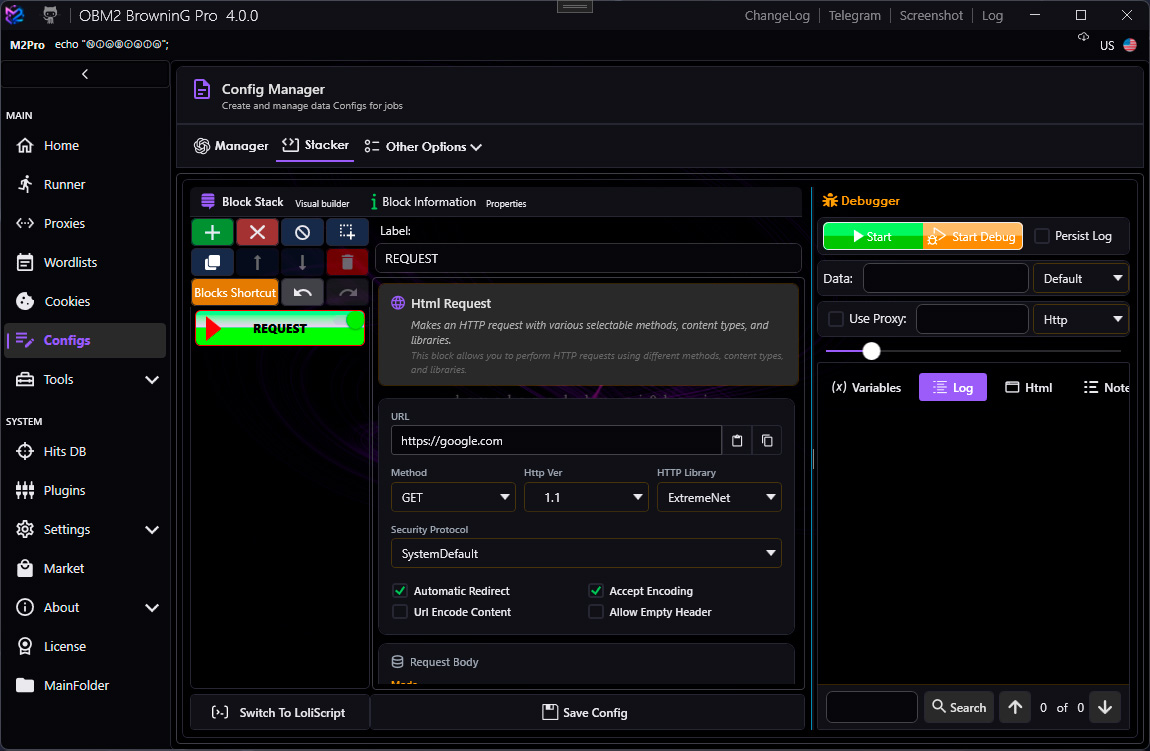
TLS Request Block
TLS Proxy is a companion process (tls-proxy.exe) that starts automatically with OBM2 Pro.
Its status is shown as a real-time badge in the block UI. If the proxy is unreachable, the request falls back to the ExtremeNet engine.
Settings
| Field | Description |
|---|---|
| Method / URL / Body | Same as HTTP Request block |
| TLS Profile | Fingerprint to impersonate: Chrome, Firefox, Safari, Random |
| TLS Proxy Port | Port the TLS proxy listens on. Default: 8080. Must match Settings → Proxy → TLS Proxy Port. |
| Custom Headers | Same format as HTTP Request |
Proxy Status Badge
The block header shows a live badge:
| State | Meaning |
|---|---|
| Checking… | Initial probe in progress |
| Active (Xms) | Proxy reachable, round-trip latency shown |
| Unreachable | Proxy process not running or wrong port — fallback to ExtremeNet |
| Disabled | TLS proxy disabled in settings |
Output Variables
Identical to the HTTP Request block: <SOURCE>, <RESPONSECODE>, <ADDRESS>, <HEADERS(*)>, <COOKIES(*)>, <ERROR>.
LoliScript Example
TLSREQUEST GET "https://target.com/api/check" TLSPROFILE:"Chrome"
TLSREQUEST POST "https://target.com/api/login" TLSPROFILE:"Random" CONTENT-TYPE:"application/json" POSTDATA:"{\"email\":\"<email>\",\"password\":\"<pass>\"}"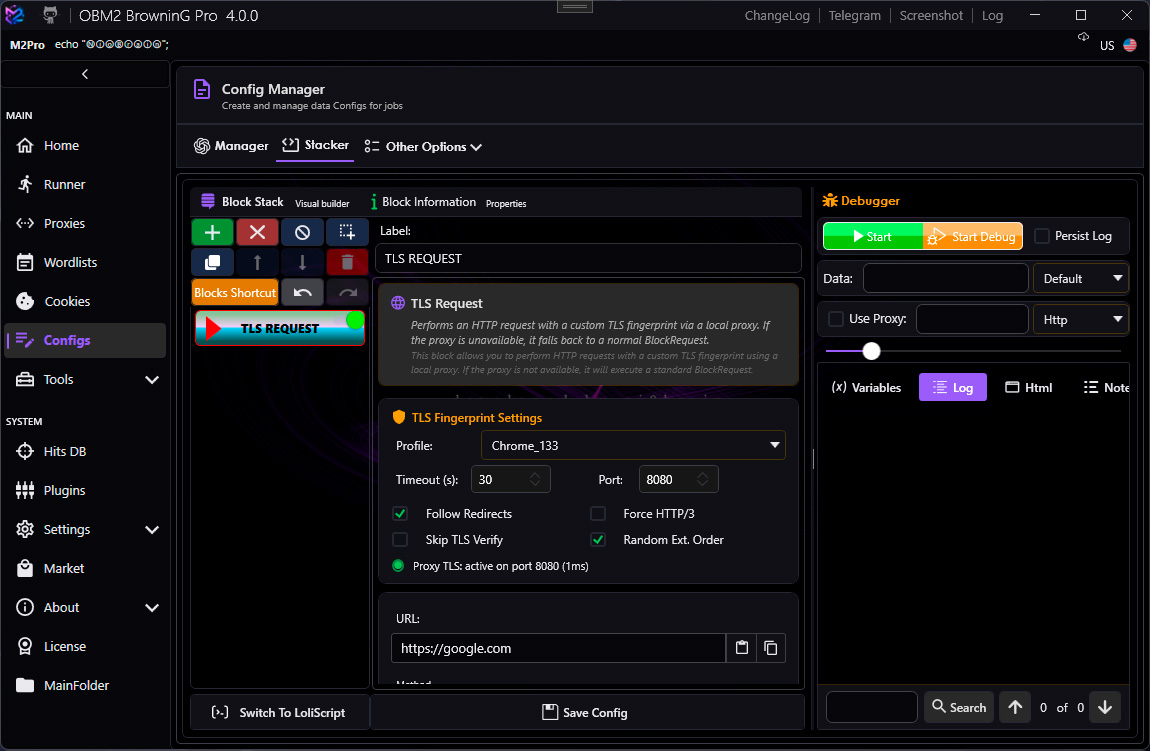
TCP Block
Always use a Disconnect command before the config ends, or the TCP connection will leak across bot runs.
Commands
| Command | Parameters | Output |
|---|---|---|
| Connect | host, port, useSSL | — |
| Send | data | — |
| Receive | variableName | Single |
| Disconnect | — | — |
LoliScript Example
TCP Connect "mail.example.com" "110" (UseSSL=False)
TCP Receive "tcpResponse"
TCP Send "+OK ready\r\n"
TCP DisconnectKeycheck Block
The Keycheck block contains one or more Keychains. A keychain defines a target status and a logical mode (OR / AND), and holds one or more Keys (conditions). If all conditions in a keychain are satisfied, the bot status is set and the script stops.
Bot Statuses
Available target statuses: SUCCESS, FAILURE, BAN, RETRY, CUSTOM.
Key Operators
| Operator | Condition |
|---|---|
Contains | Left term contains the right term string |
DoesNotContain | Left term does not contain the right term |
Exists | Left term is non-empty |
DoesNotExist | Left term is empty or null |
EqualTo | Exact string match |
NotEqualTo | String does not match |
GreaterThan | Numeric comparison (>) |
LessThan | Numeric comparison (<) |
MatchesRegex | Left term matches a .NET regex pattern |
Left Term — Available Sources
The left term (source) combo-box shows all available variables. Default fields always present:
<SOURCE> <HEADERS(*)> <HEADERS{*}> <COOKIES(*)> <COOKIES{*}> <RESPONSECODE> <ADDRESS> <ERROR>
All variables produced by blocks above the Keycheck in the stacker are also available and update dynamically as you add or remove blocks.
<ERROR> is set automatically when any block throws an exception. Email protocol blocks (IMAP, POP3, SMTP, FTP) do not stop the script on error — instead they write the exception message to <ERROR> and continue, so the Keycheck can classify the result.
LoliScript Example
IMAP Connect "imap.gmail.com" "993" (UseSSL=True) 30000
IMAP Login "<email>" "<pass>"
IMAP SearchMails "UNSEEN" "unreadCount"
KEYCHECK
  KEYCHAIN Success OR
    KEY "<unreadCount>" GreaterThan "0"
  KEYCHAIN Failure OR
    KEY "<ERROR>" Contains "Authentication failed"
  KEYCHAIN Ban OR
    KEY "<ERROR>" Contains "Too many connections"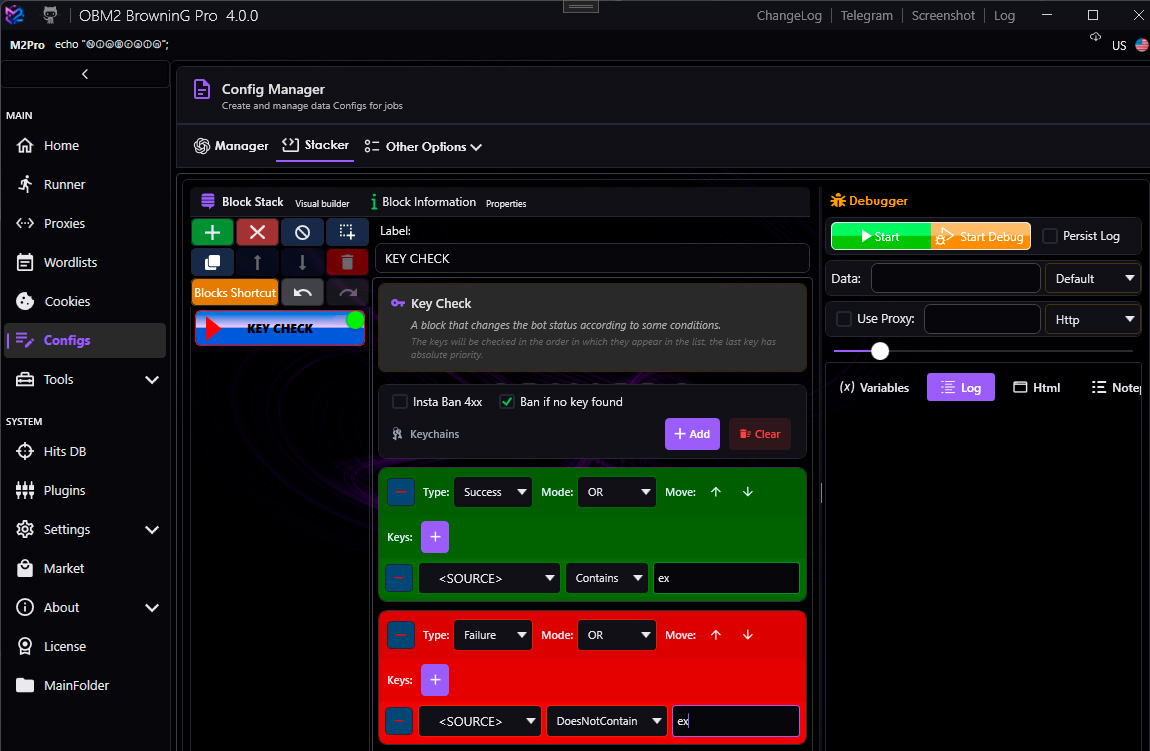
Parse Block
Parse Modes
| Mode | Description | Key Fields |
|---|---|---|
| LR | Extract text between a left and right anchor string | Left anchor, Right anchor |
| CSS | Select HTML element with a CSS selector, then get an attribute or inner text | CSS Selector, Attribute |
| JSON | Extract a value from JSON using dot-notation path | JSON Path (e.g. data.user.token) |
| REGEX | Extract a capture group from a .NET regex pattern | Pattern, Group index |
Output Types
| Type | Description |
|---|---|
| Single | First match stored as a scalar string variable |
| List | All matches stored as a list variable, accessed via <VAR[0]>, <VAR[*]> |
Source Variable
The dropdown shows all variables available from blocks above this one, plus the 8 defaults (<SOURCE>, <ERROR>, etc.).
LoliScript Example
PARSE <SOURCE> LR "token\":\"" "\"" -> "authToken"
PARSE <SOURCE> JSON "user.email" -> "userEmail"
PARSE <SOURCE> CSS "#user-list li" ATTRIBUTE:"innerText" LIST -> "userList"
PARSE <SOURCE> REGEX "(\d{4}-\d{4}-\d{4})" GROUP:1 -> "cardNumber"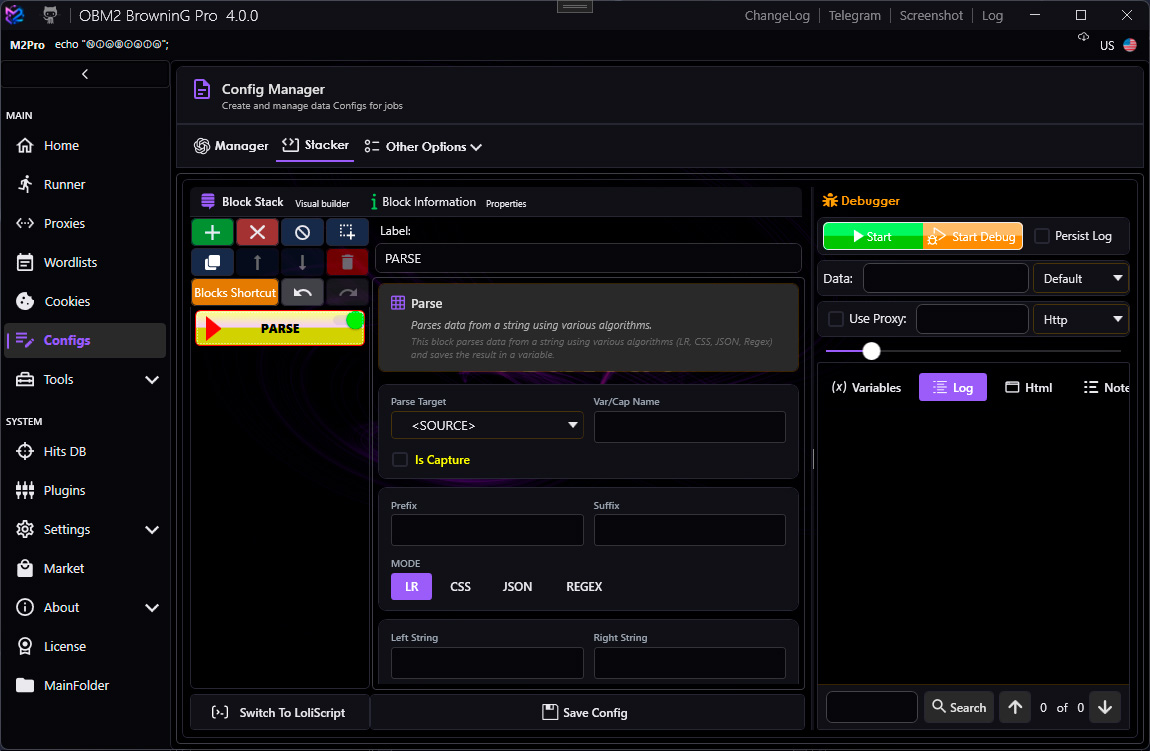
Function Block
The Input String field is a combo-box: type any literal value or pick a variable from the dropdown. It supports all variables available from blocks above.
Available Functions
| Function | Description |
|---|---|
ToUpperCase | Convert string to UPPER CASE |
ToLowerCase | Convert string to lower case |
Trim | Remove leading and trailing whitespace |
GetLength | Return the character length as a string |
Reverse | Reverse character order |
Hash MD5 | Compute MD5 hex digest |
Hash SHA1 | Compute SHA-1 hex digest |
Hash SHA256 | Compute SHA-256 hex digest |
Hash SHA512 | Compute SHA-512 hex digest |
Base64Encode | Encode to Base64 |
Base64Decode | Decode from Base64 |
URLEncode | Percent-encode special characters |
URLDecode | Decode percent-encoded characters |
HTMLEncode | Encode HTML entities |
HTMLDecode | Decode HTML entities |
UnixTimeToDate | Convert Unix timestamp to date string |
DateToUnixTime | Convert date string to Unix timestamp |
Replace | Replace all occurrences of a substring |
RegexReplace | Replace using a .NET regex pattern |
Substring | Extract a portion of the string by index and length |
RemoveHTML | Strip all HTML tags |
Split | Split by delimiter into a List variable |
List Operations
When the input is a list variable and the function supports it, use <LIST[*]> to apply the function to every element.
LoliScript Example
FUNCTION Hash MD5 "<pass>" -> "passHash"
FUNCTION Base64Encode "<email>:<pass>" -> "basicAuth"
FUNCTION Replace "<SOURCE>" OLD:"\\n" NEW:" " -> "cleaned"
FUNCTION Split "<SOURCE>" SEP:"," LIST -> "items"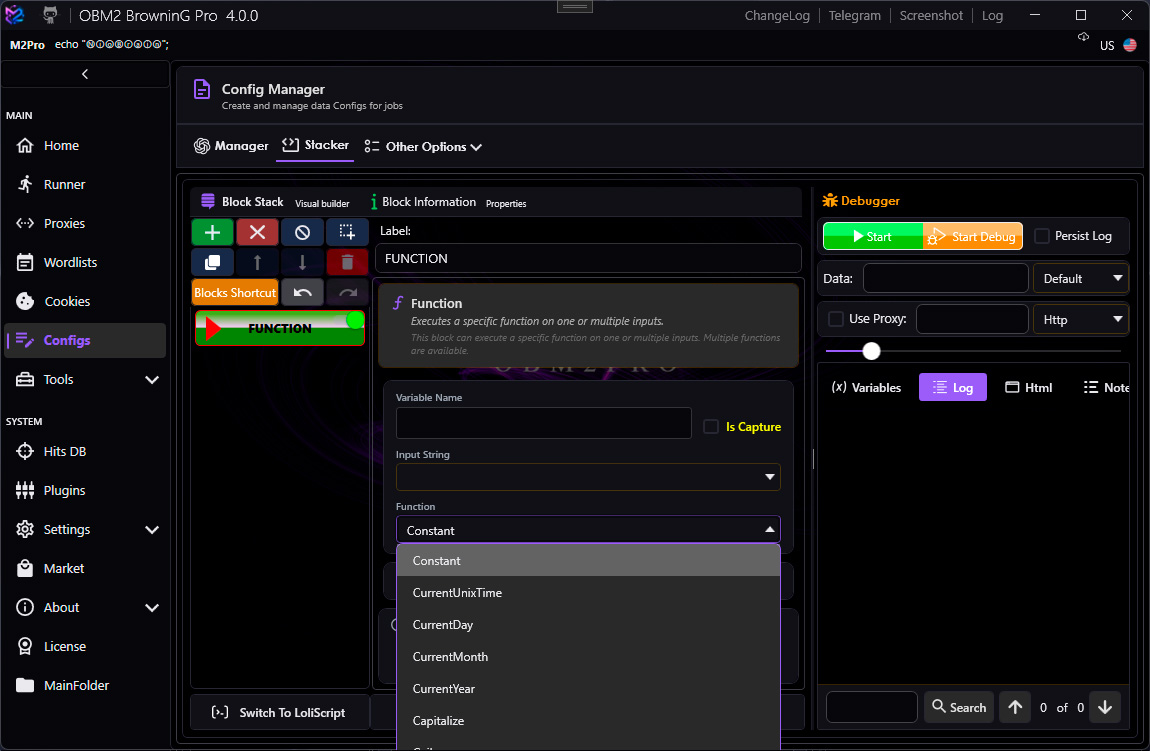
Utility Block
Commands
| Command | Description |
|---|---|
Set | Assign a literal or variable value to a new variable |
ClearCookies | Wipe the cookie jar for the current bot |
RandomString | Generate a random string of given length and charset |
RandomNumber | Generate a random integer between min and max |
Wait | Pause execution for N milliseconds |
ReadFile | Read file contents into a variable |
WriteFile | Write a variable to a file (append or overwrite) |
DeleteFile | Delete a file from disk |
LoliScript Example
UTILITY Set "greeting" "Hello, <username>!"
UTILITY RandomString "csrf" LENGTH:32 CHARSET:"alphanumeric"
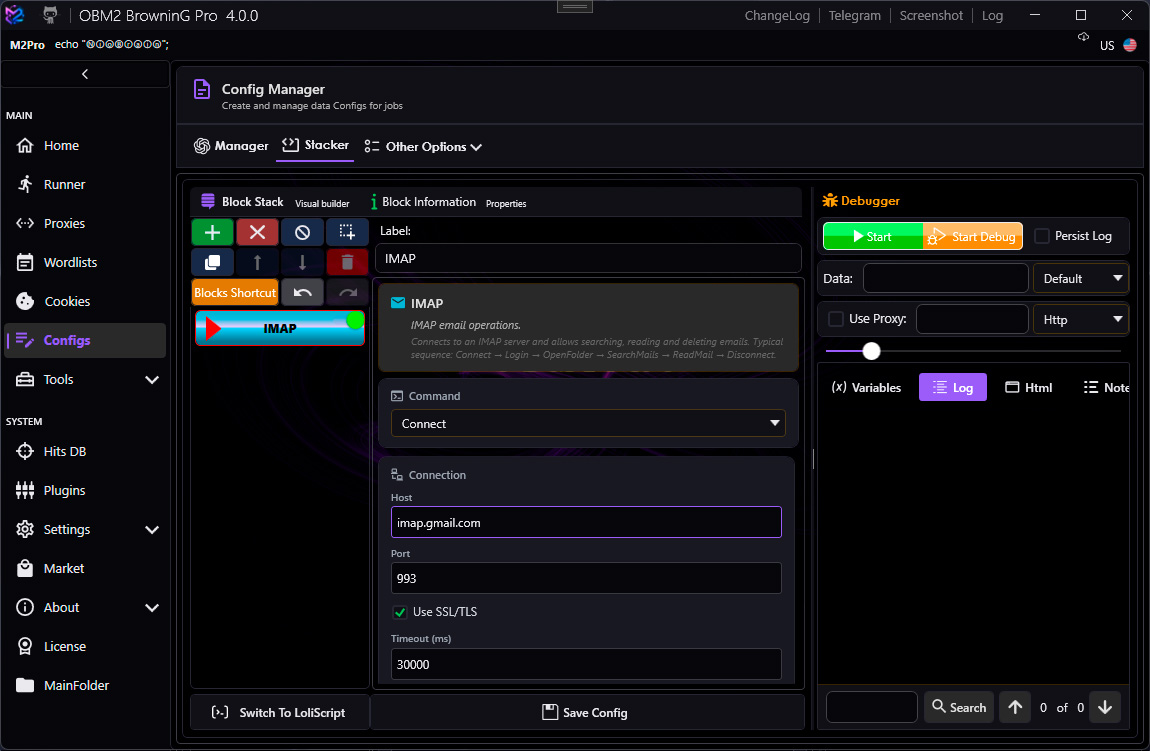
UTILITY Wait 1500IMAP Block
IMAP errors do not stop the script. Instead the exception message is written to <ERROR> and execution continues. Use a Keycheck immediately after to classify the result.
Commands
| Command | Parameters | Output | Notes |
|---|---|---|---|
Connect |
host, port, useSSL, timeout (ms) |
— | Default timeout: 30000 ms |
Login |
email, password |
— | |
SearchMails |
query (IMAP search criteria), variableName |
Single — match count | e.g. UNSEEN, FROM "noreply@example.com" |
ReadMail |
index (0-based), variableName |
Single — mail body | Reads from results of last SearchMails |
GetMailCount |
variableName |
Single — total in folder | |
GetLastMessageId |
variableName |
Single — UID | |
ListFolders |
variableName |
List — folder names | |
DeleteMail |
index (0-based) |
— | Deletes from last SearchMails results |
MoveToFolder |
index, folderName |
— | |
Logout |
— | — | Graceful logout |
Disconnect |
— | — | Closes TCP connection |
LoliScript Example — Email Verification Check
IMAP Connect "imap.gmail.com" "993" (UseSSL=True) 30000
IMAP Login "<email>" "<pass>"
IMAP SearchMails "FROM \"verify@service.com\"" "mailCount"
IMAP ReadMail 0 "mailBody"
PARSE <mailBody> REGEX "code=([A-Z0-9]{6})" GROUP:1 -> "verifyCode"
IMAP Logout
IMAP Disconnect
KEYCHECK
  KEYCHAIN Success OR
    KEY "<verifyCode>" Exists
  KEYCHAIN Failure OR
    KEY "<ERROR>" Contains "Authentication"
Library
Uses MailKit 4.17.0 on .NET 10. Older versions (<4.x) have known security vulnerabilities — do not downgrade.
POP3 Block
Like IMAP, POP3 errors write to <ERROR> and do not stop the script.
Commands
| Command | Parameters | Output |
|---|---|---|
Connect | host, port, useSSL, timeout (ms) | — |
Login | email, password | — |
GetMessageCount | variableName | Single — count |
GetMessage | index (0-based), variableName | Single — mail body |
Logout | — | — |
Disconnect | — | — |
Default timeout: 30000 ms.
LoliScript Example
POP3 Connect "pop.gmail.com" "995" (UseSSL=True) 30000
POP3 Login "<email>" "<pass>"
POP3 GetMessageCount "msgCount"
POP3 GetMessage 0 "latestMail"
POP3 Logout
POP3 Disconnect
KEYCHECK
  KEYCHAIN Success OR
    KEY "<msgCount>" GreaterThan "0"
  KEYCHAIN Failure OR
    KEY "<ERROR>" Contains "invalid credentials"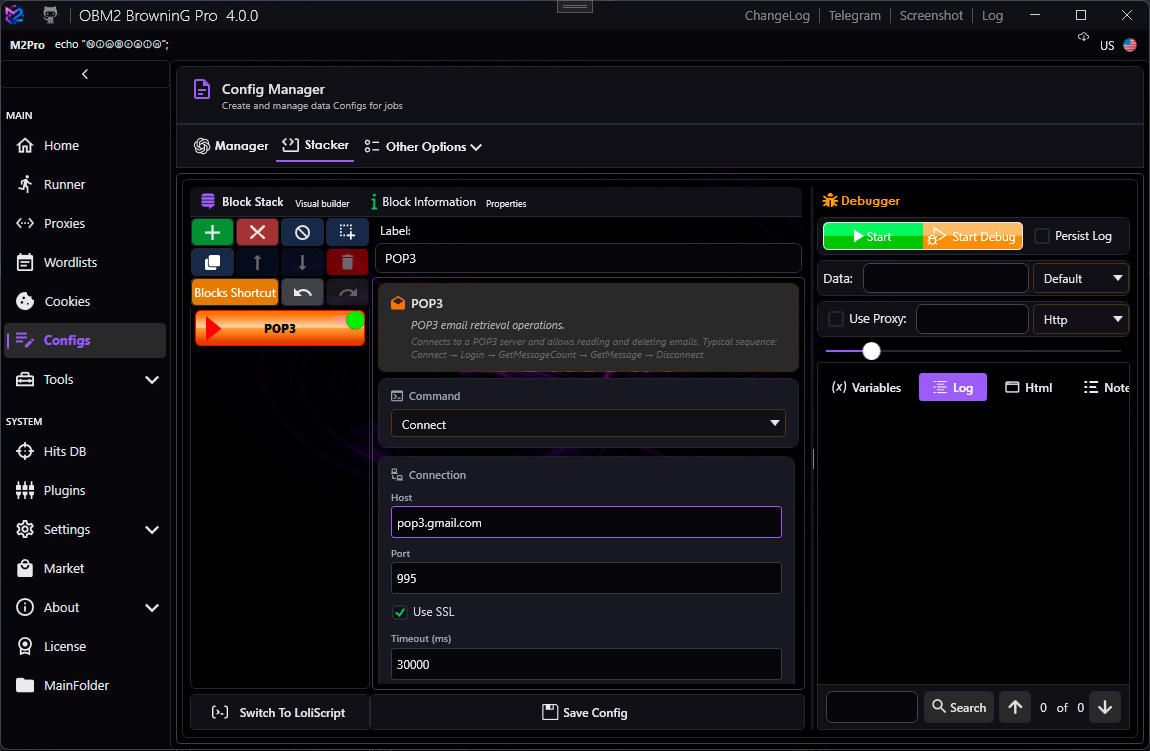
SMTP Block
Commands
| Command | Parameters | Output |
|---|---|---|
Connect | host, port, useSSL, timeout (ms) | — |
Login | email, password | — |
SendMail |
to, subject, body, isHtml |
— |
Disconnect | — | — |
Default timeout: 30000 ms. Port 587 with STARTTLS is most common for modern SMTP servers.
LoliScript Example
SMTP Connect "smtp.gmail.com" "587" (UseSSL=True) 30000
SMTP Login "<email>" "<pass>"
SMTP SendMail TO:"recipient@example.com" SUBJECT:"Test" BODY:"Hello from OBM2 Pro" ISHTML:False
SMTP Disconnect
KEYCHECK
  KEYCHAIN Success OR
    KEY "<ERROR>" DoesNotExist
  KEYCHAIN Failure OR
    KEY "<ERROR>" Contains "535"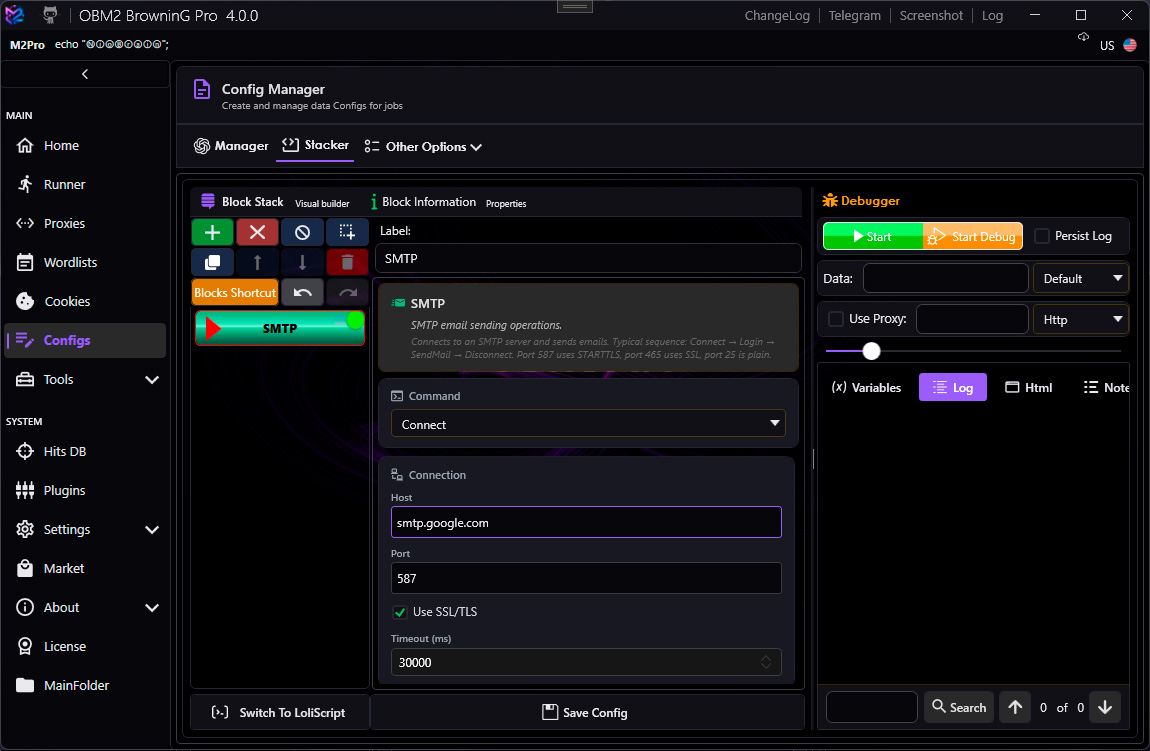
FTP Block
Commands
| Command | Parameters | Output |
|---|---|---|
Connect |
host, port, user, password, useSSL, timeout (ms) |
— |
ListFiles |
remotePath, variableName |
List — file paths |
Download |
remotePath, localPath, variableName |
Single — "OK" / "Failed" |
Upload |
localPath, remotePath, variableName |
Single — "OK" / "Failed" |
DeleteFile |
remotePath |
— |
FileExists |
remotePath, variableName |
Single — "True" / "False" |
Disconnect |
— | — |
Default timeout: 15000 ms (applied to both connect and read operations).
LoliScript Example
FTP Connect "ftp.example.com" "21" "<user>" "<pass>" (UseSSL=False) 15000
FTP ListFiles "/public" "fileList"
FTP FileExists "/private/secret.txt" "exists"
FTP Download "/private/data.csv" "C:\Temp\data.csv" "dlResult"
FTP Disconnect
KEYCHECK
  KEYCHAIN Success OR
    KEY "<dlResult>" EqualTo "OK"
  KEYCHAIN Failure OR
    KEY "<ERROR>" Contains "530"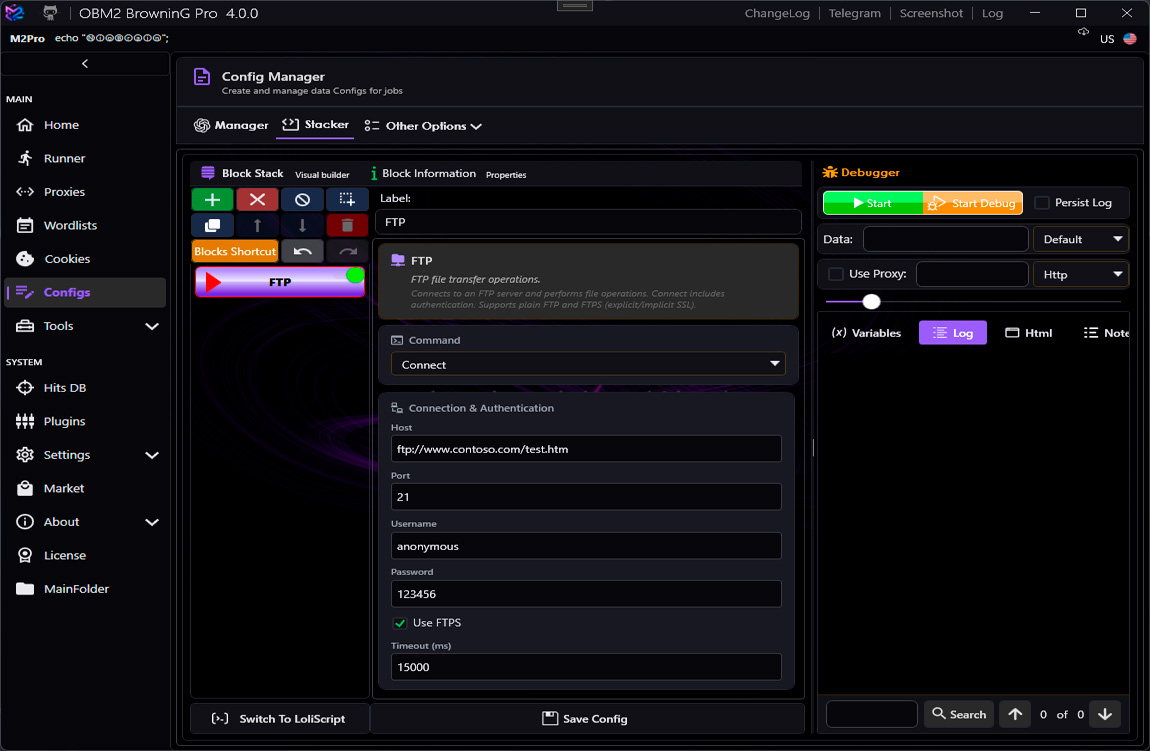
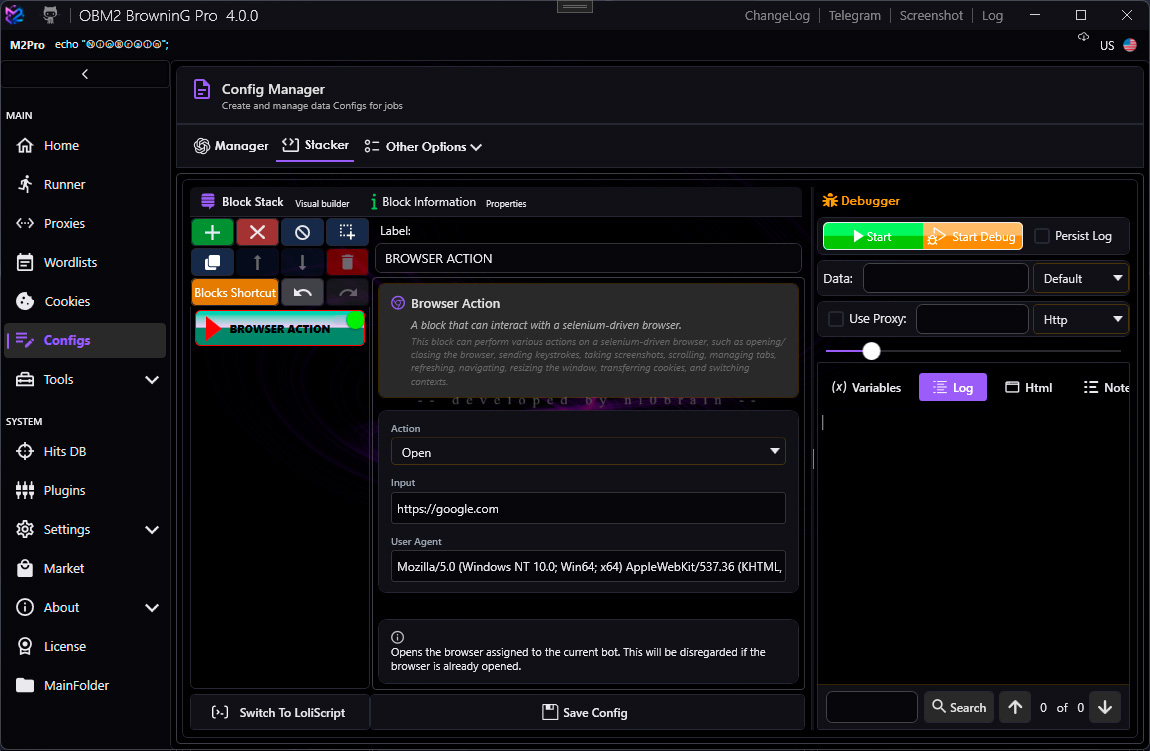
Browser Action Blocks
Navigate
Open a URL in the managed browser.
NAVIGATE "https://example.com/login" TIMEOUT:10000BrowserAction
Perform browser-level actions (not tied to a specific element).
| Action | Description |
|---|---|
SendKeys | Send keyboard input. Special keys: <ENTER>, <TAB>, <BACKSPACE>, <ESC>. Chain with ||: <TAB>||Hello||<ENTER> |
TakeScreenshot | Capture browser screenshot into a variable |
Refresh | Reload the current page |
Back | Navigate back in history |
Forward | Navigate forward in history |
SwitchToFrame | Switch WebDriver context to an iframe |
SwitchToDefaultContent | Return to the main page context |
ElementAction
Interact with a specific DOM element found by a locator.
| Locator | Example value |
|---|---|
id | username |
class | btn-login |
name | email |
tag | button |
selector | #login-form input[type=password] |
xpath | //button[contains(text(),'Sign in')] |
Actions per element: Click, ClearAndType, Type, GetText, GetAttribute, Submit, WaitForElement.
ExecuteJS
Run arbitrary JavaScript in the browser context. Variable values are substituted before execution. The return value is captured into the output variable.
EXECUTEJS "return document.querySelector('#token').value;" -> "csrfToken"Debugger
Step through config execution interactively. Four tabs:
- Data — current BotData variable values
- Log — execution log with timestamps
- HTML View — rendered source of last HTTP/browser response
- Notepad — scratch pad for testing regex / LR patterns
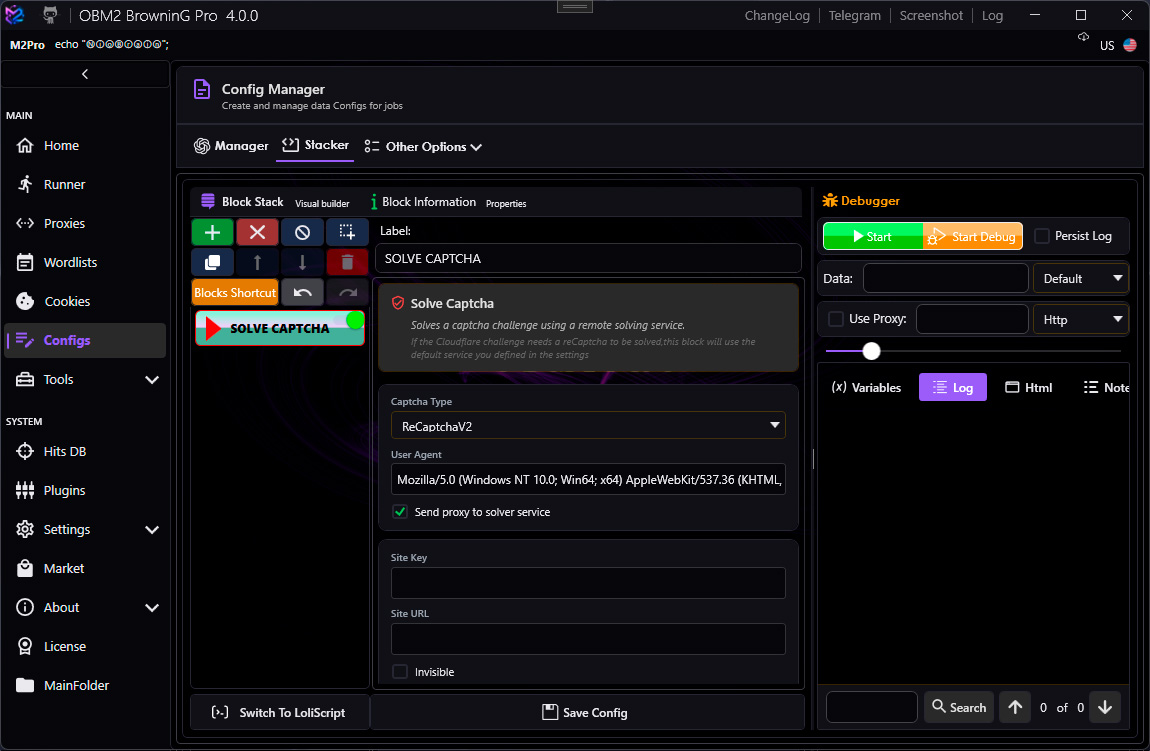
Captcha Block
Supported Captcha Types
| Type | Key Output Variables | Notes |
|---|---|---|
| reCAPTCHA v2 | <SOLUTION> | g-recaptcha-response token |
| reCAPTCHA v3 | <SOLUTION> | Requires action name and min score |
| hCaptcha | <SOLUTION> | h-captcha-response token |
| FunCaptcha | <SOLUTION> | Arkose Labs token |
| GeeTest | <GT_CHALLENGE> <GT_VALIDATE> <GT_SECCODE> | 3 separate output tokens |
| ImageToText | <SOLUTION> | Base64 or URL image input |
| KeyCaptcha | <SOLUTION> | |
| Capy | <SOLUTION> | |
| BypassCF | Sets cookies in jar | Cloudflare UAM bypass |
Automatic Variables (always set after solve)
<CAPTCHAID> — service-assigned task ID (for reporting incorrect solves)
Supported Solving Services
2Captcha, AntiCaptcha, AZCaptcha, CapMonster, CaptchasIO, DeCaptcher, ImageTyperz, DeathByCaptcha, SolveCaptcha, TrueCaptcha. Configure API keys in Settings → Captcha.
LoliScript Example
CAPTCHA RecaptchaV2 "https://example.com/login" "6Le-XXXXX" -> "recaptchaToken"
REQUEST POST "https://example.com/login" POSTDATA:"g-recaptcha-response=<recaptchaToken>&user=<user>"